Samsung · LG · Android TV · Linux
Your IPTV lists, beautiful on TV.
AshyTV is an IPTV player for Smart TVs and Linux. Activate your TV with your phone in seconds, watch live TV with a program guide, movies and series, and keep watching even when a channel or server fails.
- Ready in secondsScan the QR code with your phone and the list reaches the TV on its own. Nothing to type with the remote.
- Doesn't let you downChannel stalled? It reconnects by itself. Server down? It switches to the backup without you lifting a finger.
- Fast on any TVTens of thousands of channels scrolling smoothly, even on entry-level TVs.
- Truly secureActivation bound to the device: a copied activation doesn't work on another TV.
AshyTV is only a player, like any video player: it does not sell, host or provide channels, lists or any content.
The app on your TV
Real screens, captured from the same build that runs on Samsung and LG. Swipe sideways to see more.
-
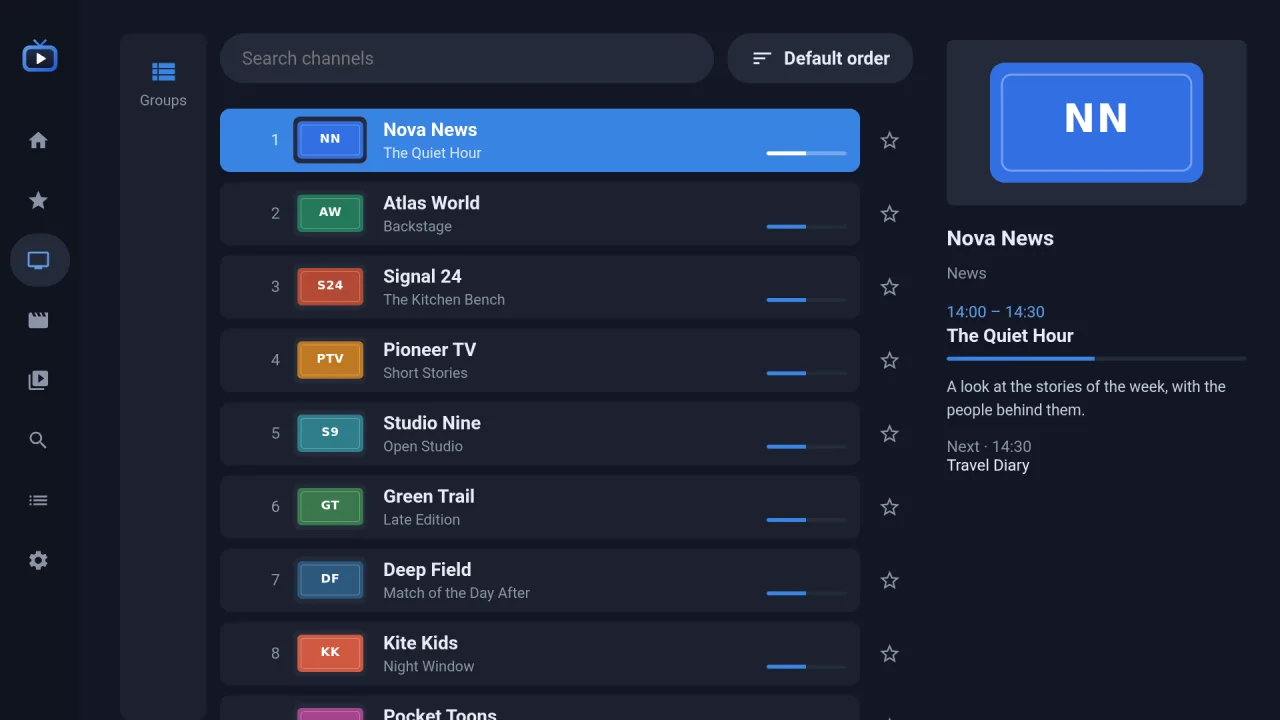
Live TVChannels, groups and what is on now, with what follows. -
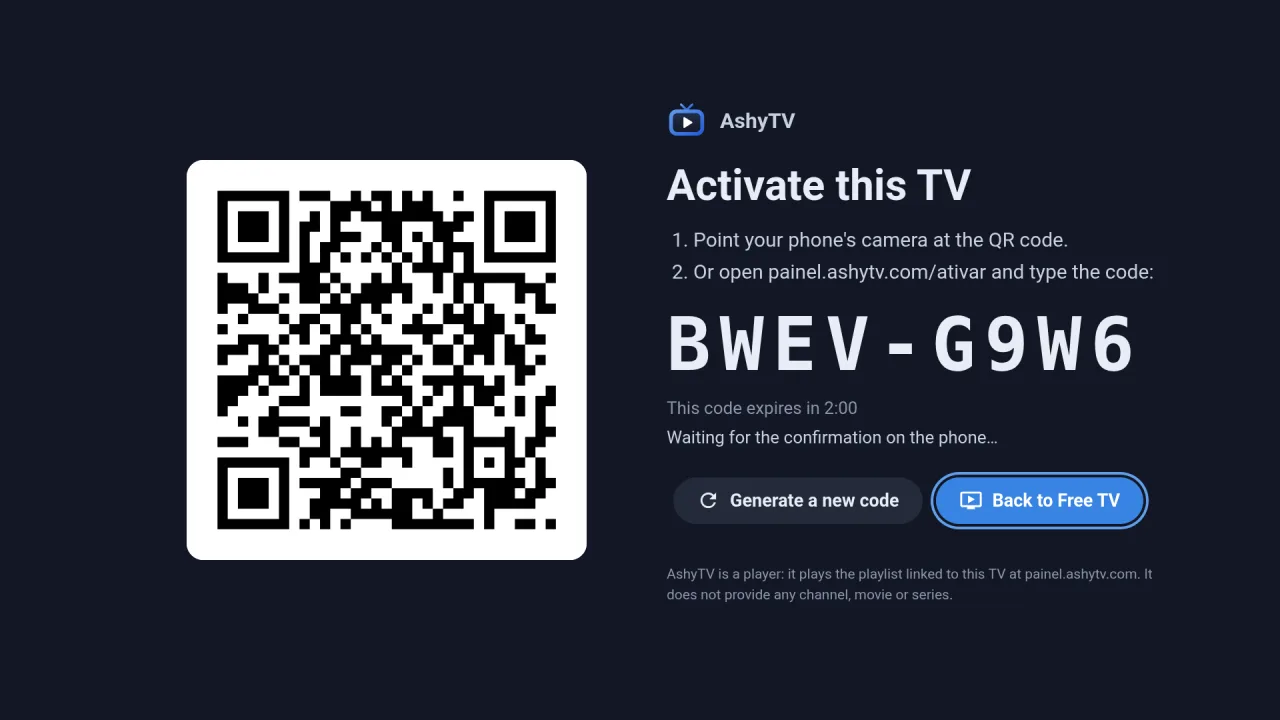
Activate the TVPoint the phone at the code. No typing an e-mail with a remote. -
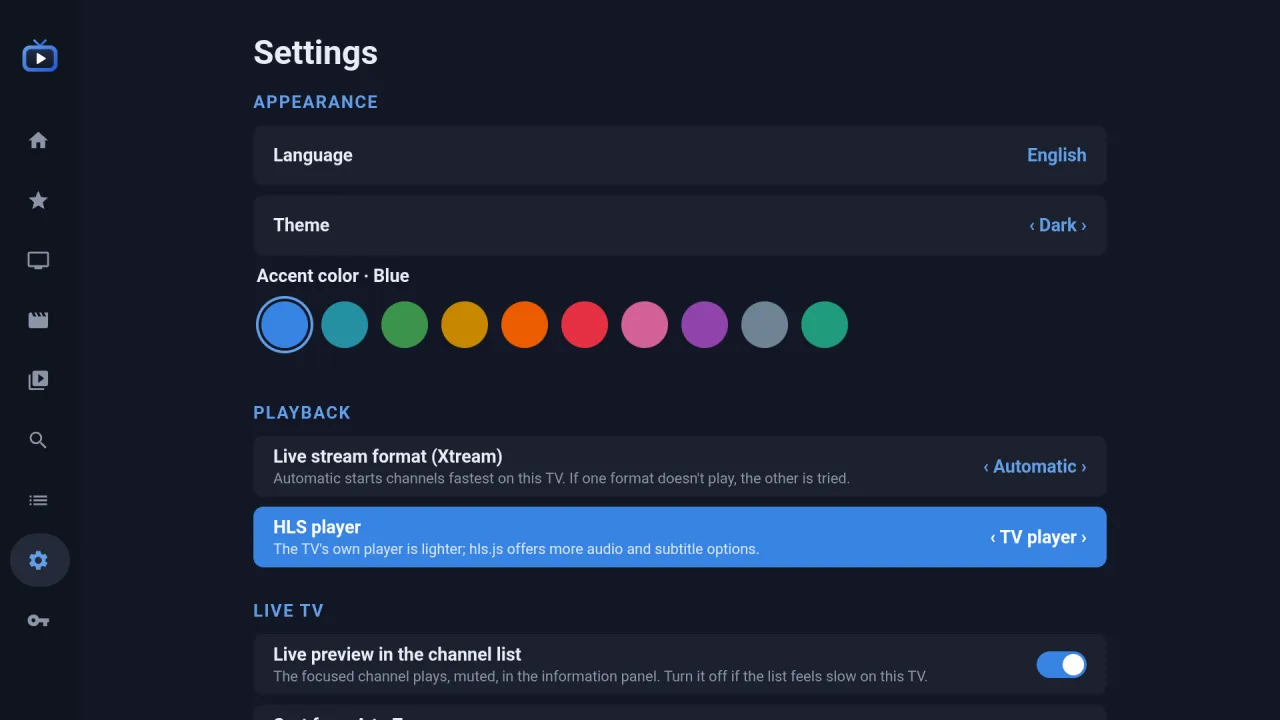
SettingsLanguage, theme and ten accent colours. Playback tuned per TV.
For illustration only: the channels and programmes shown are invented. AshyTV provides no channel, film or series — it plays the playlist you add.
Why AshyTV
The difference shows every day
Small things that save viewers time and save support calls for those who serve them.
-
Without AshyTV: Typing address, username and password with the remote
With AshyTV: Scan a QR code with your phone — done
-
Without AshyTV: Channel stalled: exit, reopen and find it again
With AshyTV: Automatic reconnection when the channel stops
-
Without AshyTV: Server down: black screen and phones ringing
With AshyTV: The TV switches to the backup server by itself
-
Without AshyTV: Changing the server TV by TV, customer by customer
With AshyTV: Change it in the panel and every TV gets it
-
Without AshyTV: Copied logins running on unknown devices
With AshyTV: Activation bound to the TV's hardware
-
Without AshyTV: Huge lists making the TV sluggish
With AshyTV: Light navigation, built for basic TVs
Platforms
One player for every screen at home
The same experience on the living room TV, the bedroom projector and your computer — fast even on the simplest TVs.
-
Samsung Smart TV
Tizen 4 or newer
TVs from 2018 onwards, projectors included. Video through the TV's native player.
Smart TV -
LG Smart TV
webOS 4 or newer
TVs from 2018 onwards. Every screen designed for the remote control.
Smart TV -
Android TV / Google TV
Android 6 or newer
TVs, boxes and sticks. A light native app with hardware-accelerated video.
TV & box -
Linux
Desktop application
The original open-source version, with a live preview of the channel beside the list, a grid guide and 29 languages.
Open source Download AppImage
Samsung, Tizen, LG, webOS, Android TV and Google TV are trademarks of their respective owners. AshyTV is an independent application, not affiliated with these manufacturers.
How it works
Install, scan the QR code, watch
No typing addresses and passwords with the remote: your phone does the boring part.
-
Step 1: Install the app on your TV
Open AshyTV. The first time, the TV shows a QR code and an activation code.
-
Step 2: Scan the QR code with your phone
Sign in or create your account in the panel, confirm it's your TV and choose the licence.
-
Step 3: Watch
The list reaches the TV on its own. Changed something in the panel? The TV updates without you touching anything.
One licence per TV — pick yours:
- Partner code. Your service provider already takes care of the licence: enter the code they gave you and you're done.
- Personal licence. For people who use their own list (M3U or Xtream Codes) without a partner.
For viewers
Everything you expect from a great player
Made for the remote control, designed not to freeze and to make the TV yours.
Watch
-
Live TV with guide
What's on now and next with a progress bar, a channel list with an info panel and tuning by number.
-
Live preview on Linux
On the computer, the selected channel already plays beside the list before you open it.
-
Movies and series
Resume where you left off and jump to the next episode automatically.
-
Cast with photos
See who's in the movie or series and open the actor's page with everything of theirs in your list.
-
Favorites and history
Your favorite channels and what you watched last, always one click away.
-
Audio and subtitles
Pick audio tracks and subtitles by language name and adjust the aspect ratio.
Always on
-
Automatic reconnection
If a channel stalls, AshyTV reconnects by itself. You only notice a short pause.
-
Backup server
When a server (DNS) stops responding, the TV moves to the next one and keeps playing.
-
Works without the panel
If the panel goes down, the TV keeps working normally for up to 72 hours.
-
Fast on basic TVs
Lists with tens of thousands of items scroll without stutter, even on entry-level TVs.
Your way
-
Hide what you don't want
Hide channels, groups and categories by holding OK on the TV (or right-clicking on Linux). Show them again anytime.
-
Long titles in full
Long names scroll when selected, so you can read them all.
-
Themes and 10 colors
Dark or light theme and ten accent colors.
-
Your language
Portuguese, English and Spanish on TVs; 29 languages on Linux.
-
Parental control
Hide adult content and protect it with a PIN.
-
Free TV
Free-to-air channels that broadcasters themselves offer for free, as an extra source.
Security and privacy
-
Activation bound to the TV
Activation is tied to the device's hardware: copied to another TV, it doesn't work.
-
Encrypted passwords
Your list's password is stored encrypted and never shown back.
-
Secure DNS
Optional on Android TV and Linux: encrypted DNS lookups (DNS-over-HTTPS) for more privacy.
-
No ads, no trackers
Video goes straight from the source to your TV. We don't sell data.
For partners and resellers
Less support, happier customers
Offer AshyTV with your own code. Your customers activate the TV with their phone, get your settings and keep watching even when a server goes down.
Plans by number of TVs
- 200TVs
- 500TVs
- 1,000TVs
Pricing on request.
-
Partner code
Your customer enters the code when activating the TV and gets your settings right away.
-
Up to 5 DNS with priority
Register your servers in order; if one stops, every customer's TV moves to the next.
-
Checks every 5 minutes
Each DNS is tested automatically: online, slow or offline, with uptime history.
-
In-panel notifications
Know right away when a DNS goes down and when it comes back.
-
Bulk change
Switched servers? One click and every TV gets the new address.
-
Customers and TVs
A dashboard with your customers, active TVs and plan slots, with sensitive data masked.
-
Guided tour
The panel shows you around the first time: you're up and running in minutes.
-
Anti-sharing
Device-bound activation and alerts for suspicious use protect your slots.
AshyTV provides the player and the licence panel; it does not manage IPTV accounts — you keep your own system. Each partner is responsible for its content and must hold the rights to what it distributes.
FAQ
Questions and answers
Does AshyTV sell or provide channels and lists?
No. AshyTV is only the player, like any video player. It does not sell, host or provide channels, movies, series or lists. You use the lists you are entitled to use, from your own service provider. The only exception is Free TV, which points only to channels that broadcasters themselves make available for free and to openly licensed or public-domain works.
Which TVs and devices are supported?
Samsung Smart TVs with Tizen 4 or newer and LG with webOS 4 or newer (usually 2018 models onwards, Samsung projectors included), Android TV or Google TV devices (Android 6 or newer: TVs, boxes and sticks) and Linux computers.
How do I activate my TV?
Open the app on the TV, scan the QR code with your phone (or go to painel.ashytv.com/ativar and type the code on screen), sign in, confirm the TV and choose the licence. Within seconds the list reaches the TV.
What happens if the server goes down?
If a channel stalls, AshyTV reconnects by itself. If the server (DNS) stops responding, the TV automatically moves to the next server registered by your provider, in priority order, and keeps playing — without you doing anything.
What are multiple DNS for?
Partners can register up to 5 servers (DNS) with priority. The panel tests each one every 5 minutes, shows whether it's online, slow or offline, notifies when it goes down or comes back, and every customer's TV uses the next one on the list when one fails. Changing them all at once takes one click.
What if the internet or the panel goes down?
Video needs the internet, of course. But if only the panel is unreachable, the TV keeps working normally for up to 72 hours after its last check.
What's the difference between a partner code and a personal licence?
With a partner code, the TV licence belongs to your service provider: they give you the code and the settings come ready. A personal licence is for people who want to use their own M3U or Xtream Codes list on their own.
I got a new TV. Do I need another licence?
No. When activating the new TV, choose “replaces a TV I already have”: the licence moves to the new TV without taking another slot. You can also unlink a TV from the app itself, in Settings.
Is my data safe?
Activation is bound to the TV's hardware (copied, it won't work on another device), your list's password is encrypted and TV identifiers are stored only as hashes. What you watch never goes through our servers, there are no ads or trackers, and on Android TV and Linux you can turn on secure DNS (DNS-over-HTTPS). Details in the Privacy Policy.
I'm a partner. Do you manage my customers' IPTV accounts?
No. You keep your own account system. AshyTV provides the player, the licence panel, your servers (DNS) and the TVs' settings.
Does the Linux version need activation too?
No. AshyTV for Linux is free and open source: you add your lists right in the app. The code is at github.com/big-comm/ashytv.
Ready to watch?
Open AshyTV on your TV and activate it in under a minute.